Call Recorder Pro
- 3.5
- Rating
- 1.00M
- Installs
- Free
- Price

 Analysis by App-foxy
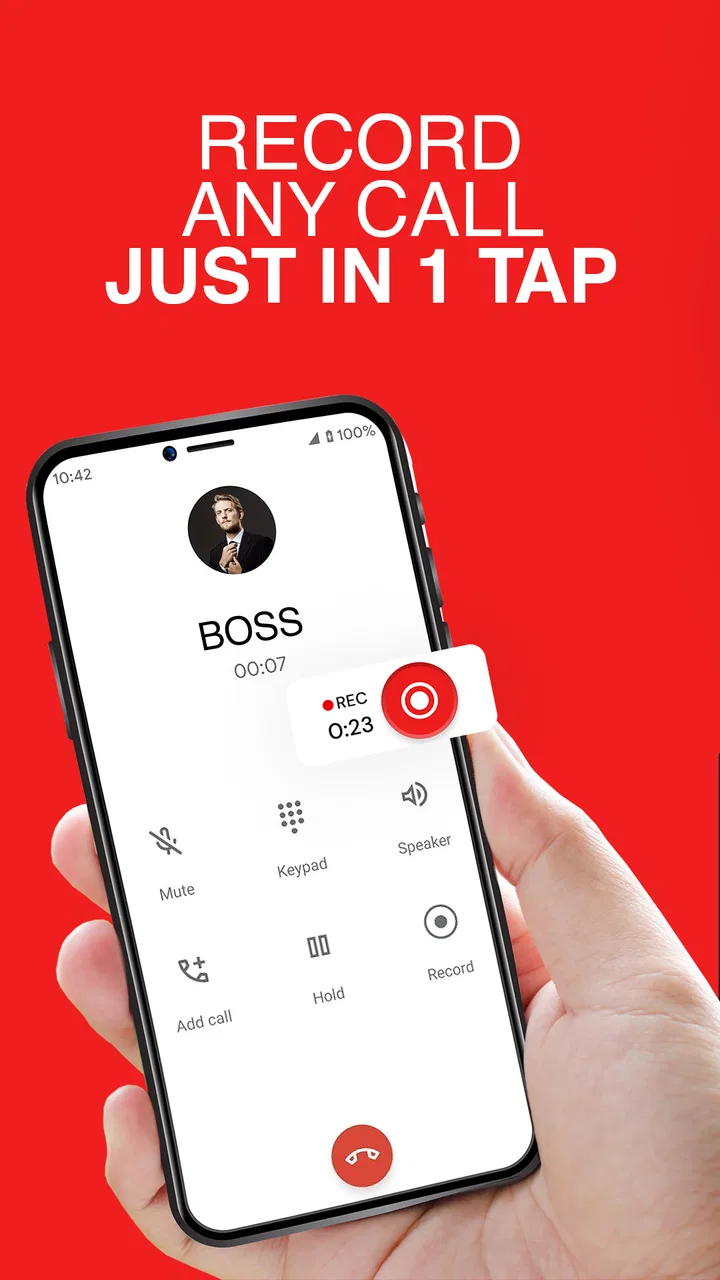
I tested Call Recorder Pro as a communication app for one focused job: keeping a record of phone conversations. Its appeal is easy to understand. Instead of treating recording as a complicated process, it aims to make the action available from the call workflow, with the store summary presenting one-tap recording as its central idea. That makes it interesting for people who regularly need to revisit spoken details, but it also means the app deserves a more careful look than its short description suggests.
The app is free to download, and its age rating is Everyone, so the initial barrier is low. MARGOAPPS LLC is the developer, and the application has reached over one million installs. Those figures tell me that it is not an obscure experiment, but popularity alone does not answer the questions that matter most: whether recording works consistently on a particular phone, whether the free experience is enough, and whether paying adds value for the way you actually use calls.
How Call Recorder Pro fits into everyday calls
My first impression is that this is a utility rather than an app I would open for entertainment or browsing. Its usefulness appears when a conversation contains information I may need later: delivery instructions, appointment details, a repair discussion, a work call, or a family conversation where remembering every detail is difficult. The best recording tool is usually the one that does not make me think about the tool while I am trying to follow the conversation, and the one-tap concept is aimed at that exact problem.
You May Also Like

 Blood Strike: 2.5 Anniversary
Blood Strike’s Loadouts Turn Every Drop Into a Tactical Gamble
A close look at Blood Strike’s custom loadouts: how fast access to signature weapons reshapes its battle royale rhythm, rewards preparation, and narrows the gap between fights.

 Pandora - Music & Podcasts
Pandora’s Music Is Easy to Start, but Harder to Recover
Pandora’s strength is its low-effort path from a seed to a station. Its weak spot is how much confidence it asks you to place in connection, setup, and quiet recovery.

 8 Ball Pool
 Is Built on Rivalries, Rematches, and Routine
A close look at the rivalries, rematches, shared routines, and unanswered safety questions that turn a quick pool match into a persistent mobile community.

 Samsung Music
’s Quiet Strength Is Playing What You Already Own
Its reach comes less from spectacle than from dependable access to a personal library. That simplicity is both the app’s strongest retention engine and its ceiling.

 AccuWeather: Weather Radar
AccuWeather Review: A Quick, Clear Forecast for Everyday Decisions
For everyday plans, the best forecast is the one you can understand quickly. AccuWeather makes rain timing, radar, and local conditions easy to act on, with a few trade-offs.

 Hill Climb Racing
Why Hill Climb Racing Still Turns Crashes Into One More Run
A tiny car, a bumpy hill and one more upgrade: Hill Climb Racing keeps resurfacing because its simple chaos makes every near-miss feel personal.
More From Our News Desk



A realistic example is a call with a service provider about a complicated issue. I might hear several reference details, a promised follow-up, and instructions that are easy to mix up while taking notes. With a recording available, I can concentrate on asking the right questions instead of typing constantly. Later, I can replay the conversation and write down the important parts accurately. That is a practical benefit, especially for people who handle many calls and cannot rely on memory alone.
There is also a useful distinction between recording for convenience and recording for evidence. For personal reminders, the app can be a straightforward memory aid. For disputes, employment matters, medical conversations, or sensitive negotiations, I would be much more cautious. Recording laws and consent expectations vary by location and situation, so I would tell anyone using this app to understand the rules that apply before pressing record. A technically successful recording is not automatically appropriate to make or share.
The free starting point and the paid question
The application itself is free, which makes trying it less risky than committing to a paid download. In-app purchases range from $1.99 to $39.99 per item. That is a wide span, so I would not assume that every useful capability is included in the free experience or that one purchase represents the complete cost for every user. The sensible approach is to install it, check what the free version lets you do, and only then decide whether the available paid option matches your recording habits.
This pricing structure changes how I judge the app. A free call recorder can be valuable even if I only use it occasionally, because the main benefit is tied to a specific moment rather than daily entertainment. Someone who records one important call every few weeks may find free access sufficient. A person who records frequently, keeps a large personal archive, or depends on the app for work should examine the purchase screen carefully before treating it as a professional tool.
I also would not describe the highest listed purchase amount as automatically good value. Its worth depends on what the purchase unlocks and how reliably recordings work on the device. Since phones differ in call handling and operating-system behavior, paying more cannot remove every technical limitation. In my view, the free entry point is the strongest part of the value proposition; paid value needs to be judged against actual use rather than the promise of recording alone.
What makes the workflow useful
The central strength is focus. Call Recorder Pro is not trying to replace a full communications platform or turn phone calls into a project-management system. It is built around capturing a conversation, and that narrow purpose can be an advantage. I prefer a focused utility when I need to act quickly, especially during a call when switching between apps, writing notes, and keeping track of the other person can become distracting.
One practical workflow is to use a recording as a temporary source for notes rather than as a permanent archive of every conversation. After a call, I can review the relevant section, record the important information elsewhere, and remove the audio when I no longer need it. That approach reduces clutter and also encourages better privacy habits. If I were using the app for recurring work calls, I would create a simple routine: identify the recording, write a short summary, mark any follow-up tasks, and then decide whether the original audio still needs to remain available.
Another non-obvious benefit is reducing the pressure to multitask. People often try to write down names, numbers, instructions, and deadlines while also listening carefully. Recording can make the conversation more natural because I can ask for clarification without worrying that I will lose the previous detail. It is not a substitute for notes, but it can make notes more accurate when the discussion is dense.
There is a trade-off here. A recording is only valuable if I can later find and understand it. I would keep file names, dates, and related notes organized as soon as possible instead of allowing a long list of anonymous conversations to build up. I would also avoid recording calls casually just because the option is available. A smaller collection of clearly identified recordings is much more useful than a large, confusing archive.
Important limitations before relying on it
Call recording is one of those features that can behave differently across phones, operating-system versions, carriers, and call types. The minimum operating-system requirement is Android 9, and the current version is 5.71, but those details do not guarantee identical results on every device. Before depending on a recording for an important conversation, I would test the app with a harmless call and play the result back from beginning to end.
That test should check more than whether a file appears. I would listen for both sides of the conversation, confirm that the audio is understandable, and see whether the recording starts and stops when expected. I would also test the workflow while the phone is locked or when another call-related screen is active if those situations matter to me. These checks are especially important because a recording that captures only one side can create false confidence.
The one-tap idea sounds convenient, but convenience can hide a responsibility: I need to know when recording is active. If I cannot tell clearly that the action has started, I risk missing the opening of a conversation or recording unintentionally. I would make it a habit to confirm the recording state rather than assuming that tapping once always produced the result I wanted.
Storage and privacy are further considerations. Audio files can contain phone numbers, addresses, account information, personal stories, or business details. I would not leave recordings lying around indefinitely, and I would be careful before sharing them through another app. If someone else uses my phone, I would also consider whether saved conversations should be accessible at all. These are not reasons to reject the app, but they are part of using any call recorder responsibly.
How it compares with ordinary alternatives
The usual alternative is taking notes during the call. Notes are easier to search, quicker to summarize, and less sensitive than a complete audio file. They also force me to decide what matters. For short calls with one or two clear action points, notes may be the better choice. Recording becomes more attractive when the conversation is long, technical, emotional, or full of details that are difficult to capture in real time.
Another alternative is using a phone’s built-in recording capability, where available. A built-in option may feel more integrated and may require fewer moving parts. If it already works reliably on my device, I would compare it directly with Call Recorder Pro before paying for anything. The third option is a separate recorder or speakerphone arrangement, but that can be awkward, produce poorer audio, and expose the conversation to people nearby. A dedicated app is more convenient when it works correctly inside the call workflow.
Call Recorder Pro is therefore not automatically the best choice for everyone. Someone who records only rarely may prefer manual notes. Someone who needs searchable transcripts, team sharing, advanced organization, or a formal business archive should look for a communication service designed around those needs rather than expecting a focused recorder to provide them. The app makes the most sense when the main requirement is capturing phone conversations simply, not managing an entire voice-information system.
Who is most likely to get real value
I see the clearest fit for people who regularly receive instructions by phone and often need to check them later. This could include independent workers speaking with clients, caregivers coordinating appointments, renters discussing repairs, or anyone handling complicated customer-service calls. The value comes from reducing forgotten details, not from recording for its own sake.
It can also help people who find note-taking difficult during conversations. If I am speaking with someone who gives several names, dates, or steps in quick succession, a recording lets me stay engaged and review the details afterward. I would still write a concise summary because replaying an entire call every time I need one fact is inefficient, but the audio gives me a dependable reference while preparing that summary.
The app is less suitable for someone who expects flawless recording across every type of call without testing. It is also a poor match for a user who wants to record people secretly, store sensitive conversations carelessly, or assume that a paid purchase guarantees professional-grade reliability. Anyone with strict compliance requirements should use a solution that clearly fits those requirements and has been tested in the exact environment where it will be used.
For families, the decision is personal. Recording a conversation can help remember details about travel, appointments, or arrangements, but it can also feel intrusive. I would tell family members when I am recording and explain why. That keeps the tool in the role of a memory aid rather than turning it into a source of mistrust.
My recommendation after weighing the cost and trade-offs
Call Recorder Pro is worth trying if I need a straightforward way to capture phone calls and my phone supports the workflow reliably. The free download gives me a reasonable opportunity to test that fit before spending anything. Its strongest value is practical: it can protect me from forgetting important spoken details and can make demanding calls easier to handle.
I would not rush into an in-app purchase. First, I would make a test call, verify that both voices are recorded clearly, check how recordings are identified and accessed, and decide whether the free experience already covers my needs. Only a regular user with a clear reason for additional paid value should consider spending within the listed purchase range. Occasional users may get everything they need without paying.
My final view is positive but measured. This is a specialized communication utility, not a universal answer to every call-management problem. Its value depends on reliable recording, responsible consent, and a workflow for reviewing or deleting audio. If those conditions fit my situation, the app can be genuinely useful. If I only need quick reminders, built-in tools or ordinary notes may be simpler; if I need searchable records and formal business controls, a more comprehensive service would be the better investment.
MARGOAPPS LLC has made the app accessible to a broad audience, with Everyone content guidance and support for devices running Android 9 or later. The overall rating sits at 3.5 from around 6.7 thousand ratings, alongside 146 written reviews, so the public response looks mixed rather than universally enthusiastic. I would read that as a reason to test it on my own phone, not as an automatic rejection. For the right user, the focused design is useful; for anyone who cannot verify call quality or handle recordings carefully, skipping it is the wiser choice.
FAQs for Call Recorder Pro
01What is Call Recorder Pro, and what does it do?
Call Recorder Pro is designed to record phone conversations and save them for later playback. Depending on the version and device, it may support automatic or manual recording, audio file management, playback, sharing, and cloud or local storage. Its exact features can vary by operating system, phone manufacturer, region, and app version, so review the store description before downloading.
02Will Call Recorder Pro record every incoming and outgoing call?
Not necessarily. Call recording on modern Android and iOS devices is affected by operating-system restrictions, phone hardware, carrier settings, and whether the call uses the standard dialer, a messaging service, or an internet-based calling app. Some devices may require speakerphone, accessibility permissions, a recording service, or manual activation. Test the app with a non-sensitive call before relying on it.
03What permissions does Call Recorder Pro require?
The app may request access to the microphone, phone functions, contacts, notifications, storage, or accessibility features, depending on how recording is implemented on your device. These permissions can be necessary for recording and organizing calls, but you should check them carefully and disable anything that is not relevant. Avoid granting access if the requested permissions do not match the advertised features.
04Is it legal to record calls with Call Recorder Pro?
Call-recording laws differ considerably between countries, states, and regions. In some places, one participant may provide consent, while others require everyone on the call to agree before recording begins. Always inform the other person when required and follow local privacy and telecommunications rules. The app cannot make an otherwise unlawful recording legal, so users are responsible for compliance.
05Where are recorded calls stored, and can they be shared?
Recordings may be stored inside the app, on your device, or in a connected cloud account, depending on the platform and configuration. Before recording important conversations, check available storage, backup behavior, export options, and whether files are protected by an app lock or device security. Sharing recordings through email, messaging, or cloud services can expose private information, so handle them carefully.
Pros
- Records incoming and outgoing calls automatically.
- Simple interface makes recordings easy to find and manage.
- Supports sharing recordings through common apps and services.
- Useful for keeping interviews
- meetings
- and important conversations.
- Can help create a searchable personal archive of call recordings.
Cons
- Recording reliability may vary by phone model and Android version.
- Some devices require speakerphone mode for both voices to be captured.
- Call recording laws differ by region and may require consent.
- Large recordings can quickly consume storage space.
- Privacy risks exist if recordings are accessed or shared without permission.

Call Recorder Pro
Gallery